 CampSavvy
 Help › Maintenance
Your Service Schedule
What's due, marking things done, and changing how often.
Free — in the free app
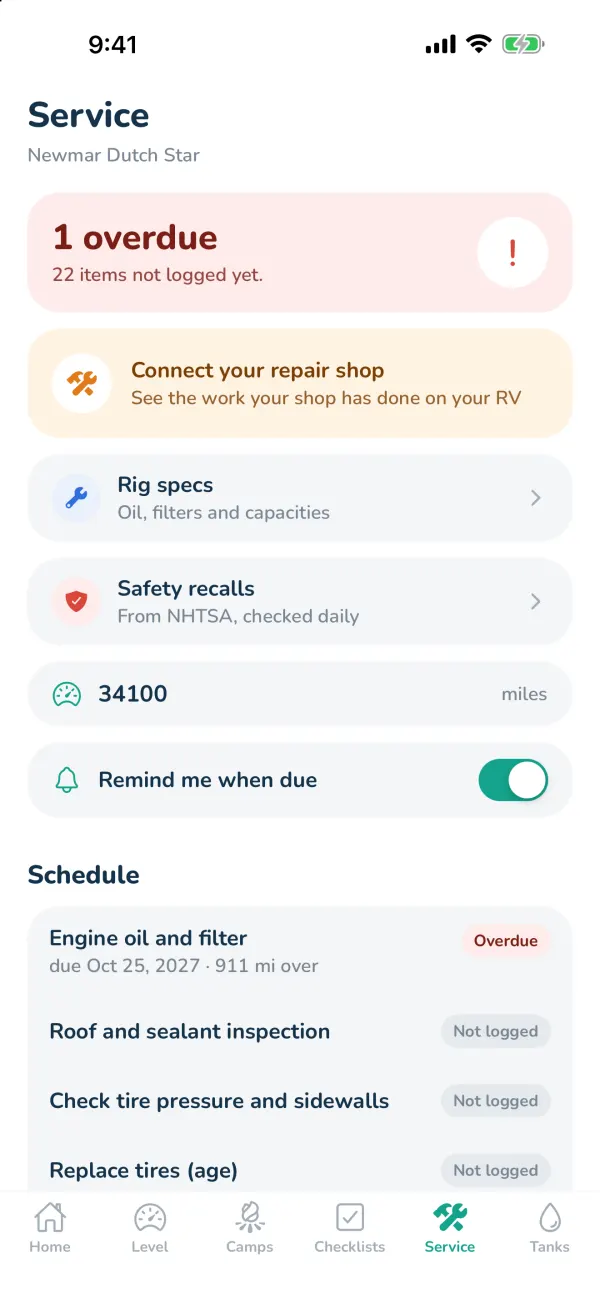
The Service tab is your maintenance schedule, built for your rig — roof and sealant, tires, water heater, LP, batteries, bearings and brakes on a towable, oil and filters on a motorhome, generator service if you have one.
Reading the schedule
- Overdue (red) — past the date or the mileage.
- Due soon (orange) — within 30 days or 500 miles.
- Good — logged and not due yet.
- Not logged — you haven't marked it done yet. Start by marking when each was last done.
Marking something done
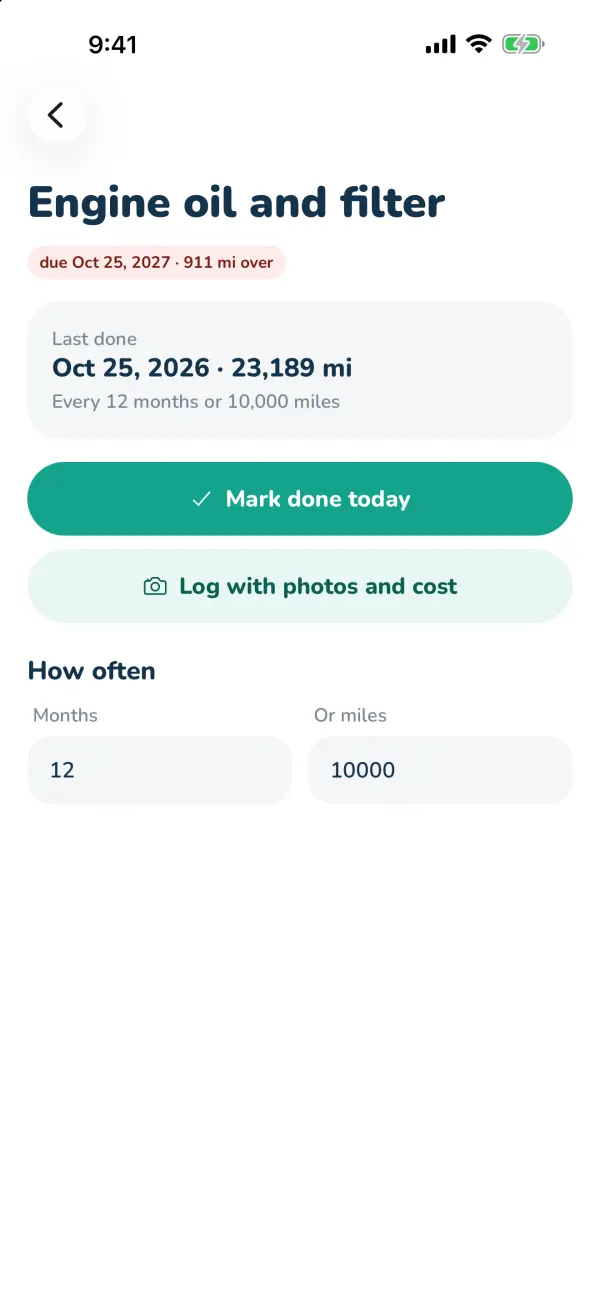
- Tap the item.
- Tap Mark done today. It records today and your current mileage, and works out the next due date.
- Or tap Log with photos and cost (Pro) to keep the details — see The Service Log.
How often
Each item has a schedule in Months and, on motorhomes, Or miles — whichever comes first. Change them on the item to match your manual. Pro lets you Add an item of your own at the bottom of the list.
Your mileage
On a motorhome, type your odometer in the mileage box near the top of the Service tab and tap Save. Mileage-based items update right away.
If your repair shop uses RVOps, connect it and the work they do fills in your schedule for you.
Still stuck? Email [email protected] and tell us your phone model and what you were trying to do.