 CampSavvy
 Help › Campgrounds & Trips
Finding Campgrounds
Search any town or near you, on a map, with websites and phones.
★ Pro — part of CampSavvy Pro
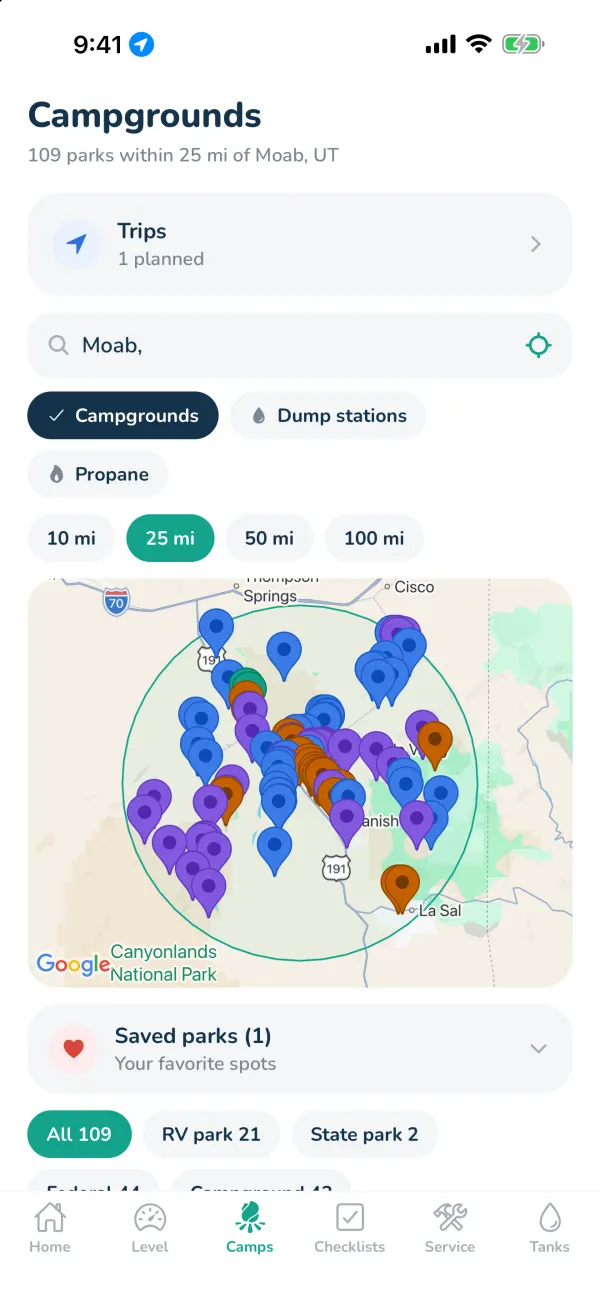
Search any town, ZIP code or near you and see every campground and RV park around it on a map — with websites, phone numbers, booking links and the longest rig each federal campground takes (Pro, signed in).
Search
- Open the Camps tab.
- Type a town and state, like Moab, UT, or a ZIP code — or tap the target to search near you.
- Pick how far: 10, 25, 50 or 100 miles.
Pins are colored by type: orange RV parks, green state parks, blue federal (national forests, Corps of Engineers, national parks) and purple other campgrounds. Tap a pin, or use the list under the map. Filter by type with the buttons above the list.
A campground's page
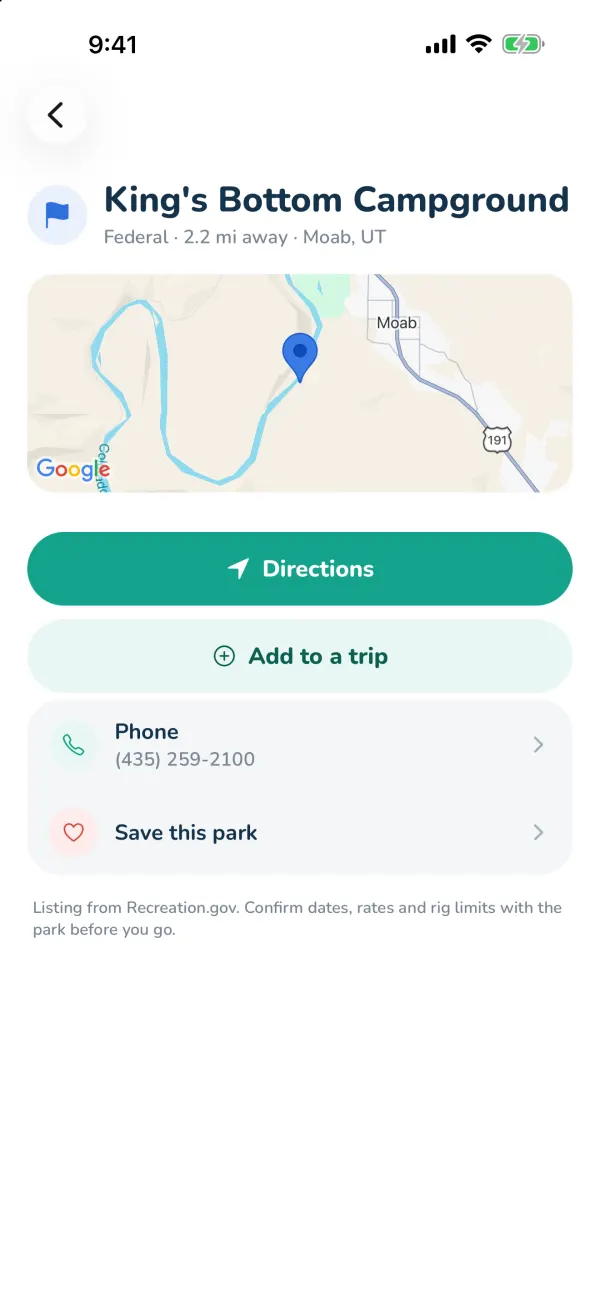
- Directions opens your maps app.
- Website and Phone, when we have them; Google listings also show the rating and Reviews and photos.
- Book on Recreation.gov for federal campgrounds that take reservations.
- Rigs up to … ft and amenities when known.
- Save this park — saved parks are at the top of the Camps tab and follow your account.
- Add to a trip — it goes in where it adds the fewest miles. Planning a trip? It's quicker to tap Campgrounds above the trip's own map — see Campgrounds on the trip map.
Listings come from Recreation.gov, OpenStreetMap and Google. Always confirm dates, rates and rig limits with the park before you go.
Still stuck? Email [email protected] and tell us your phone model and what you were trying to do.