 CampSavvy
 Help › Getting Started
Getting Around
The tabs along the bottom, Home, and where Settings lives.
Free — in the free app
Six tabs run along the bottom: Home, Level, Camps, Checklists, Service and Tanks.
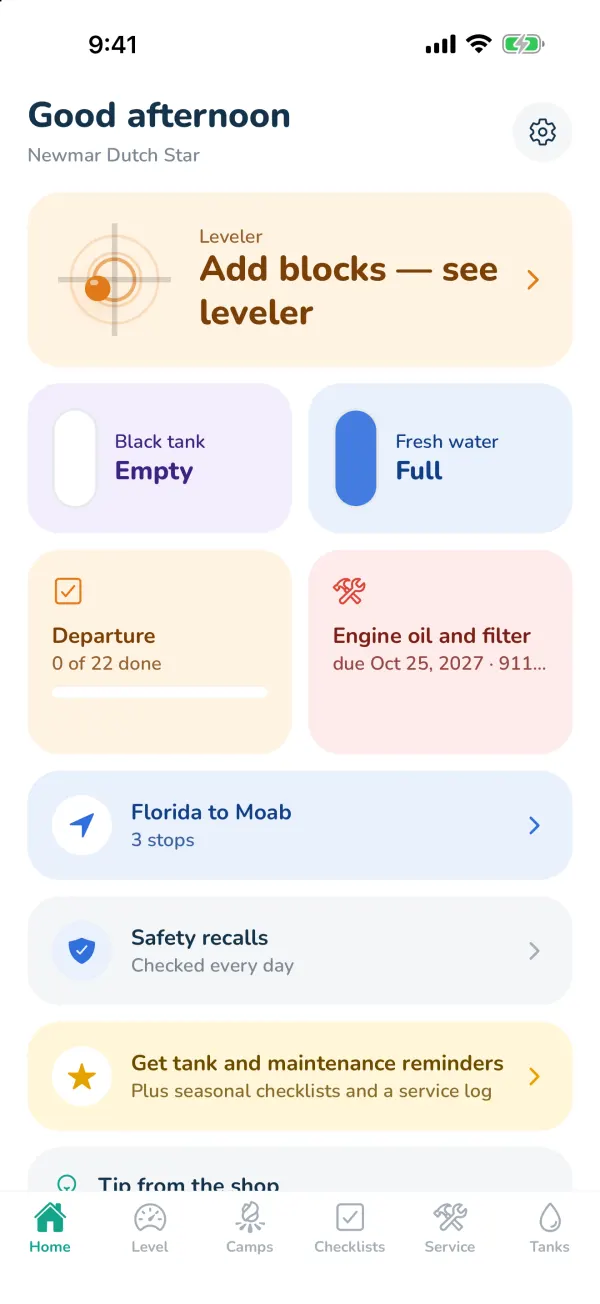
Home
A quick look at everything: the leveler, your black and fresh tanks, the departure checklist, the next maintenance item, your latest trip and safety recalls. Tap any card to jump to it. A tip from the shop changes each day.
The tabs
| Tab | What's there |
|---|---|
| Level | The leveler and hitch height. See Leveling Your RV. |
| Camps | Campgrounds, dump stations and propane on a map, plus Trips. |
| Checklists | Departure, Arrival, seasonal lists and your own. |
| Service | Your maintenance schedule, reminders, rig specs, recalls, your repair shop, the service log and report. |
| Tanks | Tank levels, dump reminders, propane. |
Settings
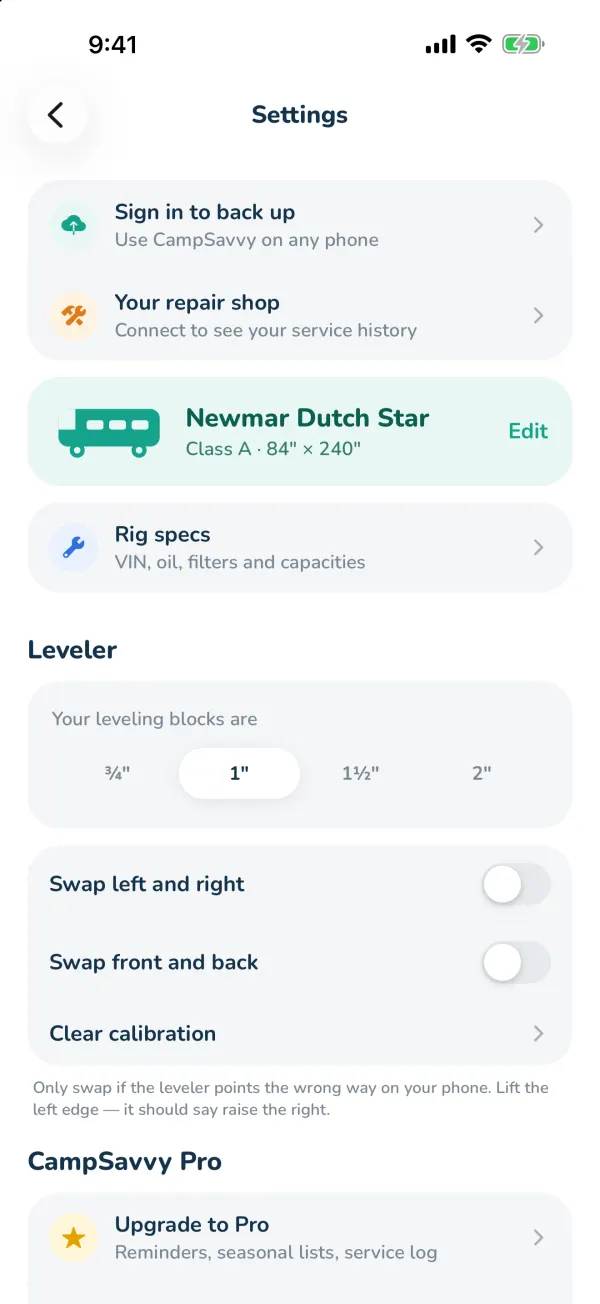
Tap the gear on Home. Settings holds your account, your repair shop, Use on a computer (sign in to the web trip planner), rig specs, your rig's details, leveler options, Pro, help and privacy.
Still stuck? Email [email protected] and tell us your phone model and what you were trying to do.